
This feature requires a Freedom licence.
Please note that a campaign only goes live after completing the authorization and release process (signed form and tested whitelisting).
In the phishing menu under Manage campaigns, you will see a list of available phishing campaigns. With a Flexible licence you can use the platform’s built-in campaigns. With a Freedom licence you can also create your own campaigns. This page explains how to do that.
Add a campaign
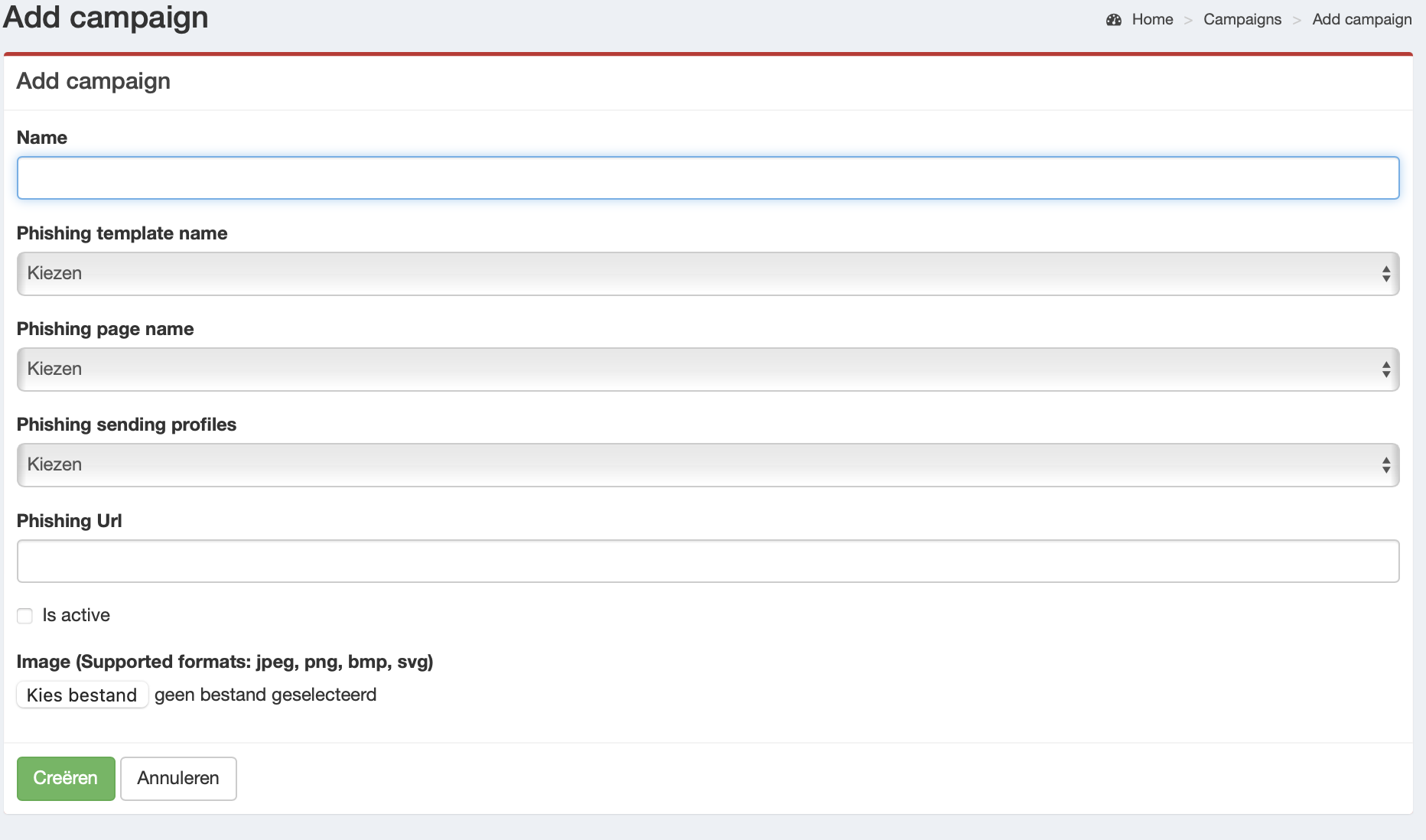
Go to Manage campaigns in the menu and click Create.
- Click Create to start configuring a new campaign.
- Under Name, enter a clear campaign name.
- Select a template under Phishing template name (created in phishing templates).
- Select the landing page under Phishing page name.
- Select the sending profile under Phishing sending profiles.
-
Phishing URL: this is the base URL used to populate the
{{.URL}}variable (commonly used in email templates).It must point to the 2LRN4 phishing server and be reachable for recipients. See domains below.
- Enable Is active to activate the campaign.
- Optional: add an Image as a visual reference for the campaign.
|
|
Domains
On our server we have registered domains you can use in your campaign. For example: https://isveilig.com/nonsense/more-nonsense/. Everything after the first / is free to customise to make the URL less readable.
Available domains:
- message-security.com
- login-user.net
- *.joinmeeting.click
- digitalefitheid.com
- isveilig.com
- rnicro.com
- webmailportal.net
- wetransifer.com
- findmytransfer.net
- watgajijdoen.com
Your own domain
If you want to use a domain of your choice, the easiest option is for us to register it and pass on the registration and certificate costs. We will configure the connection to our server. Registration fees vary roughly from €15 up to €375 depending on the TLD. For certificates we use AWS Certificate Manager (no additional cost). If you purchased your own certificate, we will need the required details to connect it.
Working with spam filters
There is no guaranteed way to bypass spam filters — and that’s a good thing. In a business environment you can, however, influence your own mail security settings. For phishing simulations aimed at measuring user behaviour, it is recommended to temporarily allowlist the 2LRN4 sending infrastructure.
Allowlisting increases the chance that campaign emails do not end up in spam/quarantine. In addition to the domains, allowlist the following IP addresses. For example, in Microsoft Defender under Phishing simulation.
Type: Domain / Sending infrastructure
- 52.211.73.232
- 34.241.246.226
- 3.250.45.170
Type: Sending IP (AWS SES)
- 54.240.0.0/11
Email authentication (SPF, DKIM and DMARC) also improves delivery. If we register the domain for you, these records are configured by default.